Structural Detailing in BIM: Rebar and Steel Connections

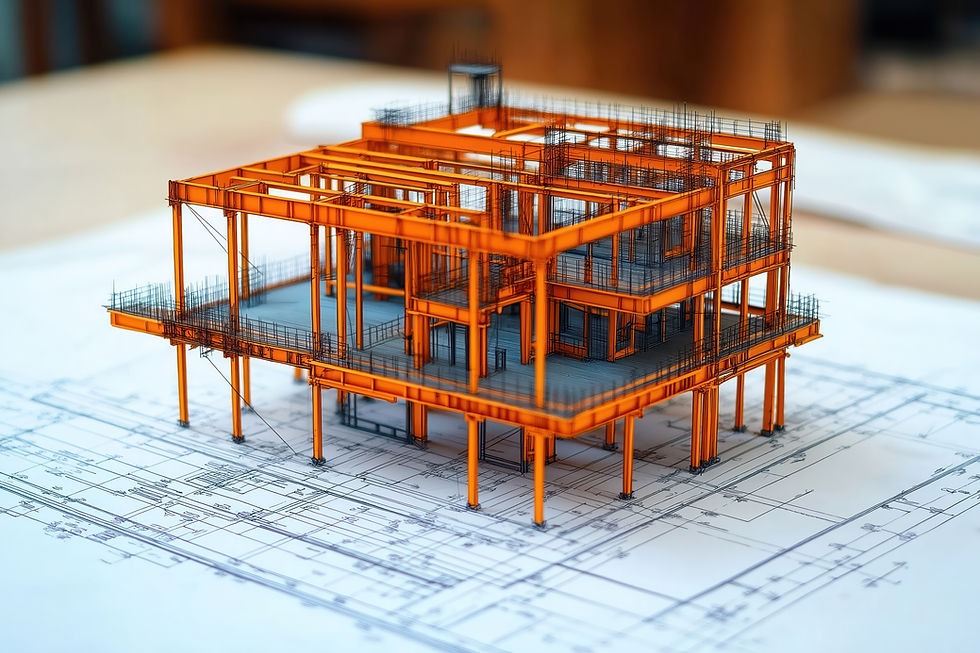
In any of the construction projects, designs don’t just get built by drawings themselves. One has to clearly explain what steel goes where, how it is fixed, and how everything fits together. Such work is what we call as structural detailing.
So, what structural detailing does is that it simply turns engineering designs into clear instructions, which is easy to adapt to for site teams and fabricators to actually follow.
Why structural detailing matters
Structural detailing tells the construction team:
Where reinforcement bars go inside concrete
How steel beams and columns are connected
What sizes, lengths, and quantities are required
With unclear details, there are high chance of mistakes happening on-site, leading to delays, rework, and higher costs.
How BIM changes structural detailing
Earlier, teams worked with many separate drawings. This is often confused because:
One drawing didn’t match another
Changes were missed
Clashes were found too late
With adaptation of Building Information Modeling (BIM), everyone works on one shared digital model.
This shared model helps:
Reduce mistakes
Improve accuracy
Keep all teams aligned
All kinds of people working in the project, whether contractors, fabricators, detailers, or engineers, all refer to the same information throughout the project.
Because of this, BIM-based structural detailing has become integral, not optional, for today’s industrial, commercial and infrastructural projects.

Structural detailing. What is it?
Structural detailing is the process of preparing clear drawings and models that show:
What reinforcement or steel is needed
Where it should be placed
How it should be connected
This information tells about fabrication and on-site construction.
What information does structural detailing include?
Structural detailing typically shows:
Sizes of reinforcement bars
Spacing between bars
Lengths, bends, and hooks
Identification marks for each bar
Steel connection details and materials
This information becomes the base for:
reinforcement work
Steel fabrication
Site execution
BIM in structural detailing
Working in flat drawings was the traditional way; now, teams use BIM to view structural detailing in 3D. This makes it much easier to understand how parts connect and fix problems before construction begins.
Post this, it's easy to:
See how elements fit together
Find clashes early
Generate drawings and schedules automatically

As a result, BIM-based detailing helps:
Reduce errors
Improve accuracy
Minimize material waste
Speed up construction
BIM-based detailing, in this way, provides a complete 3D visual representation of beams, columns, trusses, stairs, and steel connections.
Rebar modeling in BIM
Rebar modeling shows where steel rods go inside concrete parts using a 3D computer model.
Instead of guessing from drawings, teams can clearly see:
Bar sizes
Spacing
Placement
Why this helps
Fewer mistakes on site
Better coordination with other systems
Clearer instructions for fabrication
Benefits of rebar modeling
Using BIM for rebar modeling helps:
Detect problems early
Reduce congestion inside concrete
Generate bar bending schedules automatically
save time in drafting and checking
This makes reinforcement work seamless and more reliable.

Rebar modeling using Autodesk Revit
Revit allows engineers and detailers to place reinforcement directly into the 3D model.
It supports:
standard rebar shapes
automatic schedules
consistent documentation
Big projects such as bridges and tall buildings might need a few additional tools for dealing with tightly packed reinforcement.
Steel connection detailing in BIM
Steel connection detailing tells how different steel members are connected.
In BIM, every steel element is modeled accurately.
This helps fabricators and site teams clearly understand:
How connections are made
What materials are needed
How components are assembled
Why BIM is useful for steel connections
BIM helps by:
Showing steel connections in 3D
Detecting clashes with other building systems
Generating fabrication and erection drawings automatically
This way, accuracy is improved, and errors are reduced during fabrication and installation.

Best practices for steel connection detailing
Good steel detailing focuses on:
Clear communication between teams
Correct measurements and standards
Careful checking before fabrication
Detailers must:
Follow building codes
Coordinate with fabricators
Consider site conditions
With the correct way, on-site risks are reduced and better construction outcomes are supported.
Bar Bending Schedule (BBS) in Structural Detailing
A bar-bending schedule is a list that tells fabricators:
Which bars are needed
Their sizes and shapes
How many are required
In BIM, this schedule is created automatically from the model, which:
Reduces manual errors
Keeps drawings and schedules consistent
Comparison: Traditional vs BIM-Based Structural Detailing
Aspect | Traditional Detailing | Structural Detailing BIM |
Coordination | Manual | Model-based |
Clash Detection | Late-stage | Early-stage |
Accuracy | Drawing-dependent | Data-driven |
Documentation | Manual updates | Automated |
Error Risk | High | Significantly reduced |
Linking detailing with fabrication
When structural detailing is connected directly to fabrication:
Data flows smoothly
Machines receive accurate information
Errors caused by manual data transfer are reduced
This creates a clear path from design to construction.

Clash checking in structural detailing
Clash checking means finding conflicts before construction starts.
For instance:
Reinforcement clashing with pipes
Steel beams get in the way of air ducts
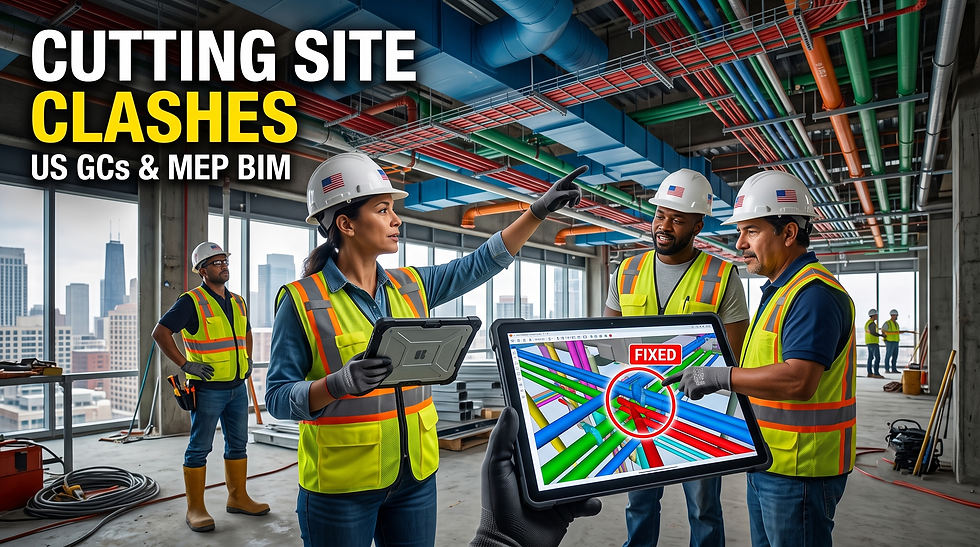
With BIM tools, the tasks become easy. The teams can solve problems on the computer before construction starts, rather than fixing them at the site. In this manner, they save their time and also money.
Bill of Materials (BOM) in BIM-Based Detailing
For the project, this is the needed materials list.
BIM helps generate accurate BOMs by pulling data directly from the model, which supports:
Procurement planning
Cost control
Reduced material waste
Quality assurance in structural detailing
Quality assurance checks the following:
drawings are correct
codes are followed
mistakes are caught early
Using BIM makes checking easier through automated reviews and coordinated models.
Documentation in structural detailing
Structural detailing produces documents such as:
fabrication drawings
erection drawings
rebar schedules
steel connection details
Such documents guide construction from start to finish.
Why choose PrimaVerse for structural BIM services?
PrimaVerse provides structural BIM services that help deliver:
accurate detailing
clear documentation
better coordination
fabrication-ready outputs
This helps turn designs into on-site construction without confusion. Our executive team even delivers specialized rebar modeling and steel detailing services.

FAQs
1. Define structural detailing?
Structural detailing describes the way a structure will actually be built. It shows where reinforcement and steel elements go and how they are connected.
2. How does BIM improve detailing?
A shared 3D model is used for error reduction, improvement in coordination and keeping the entire team aligned.
3. What is rebar modeling?
Rebar modeling shows reinforcement bars in 3D so placement is clear and accurate.
4. Why is reinforcement detailing important?
It ensures concrete structures are strong, safe, and durable.
5. How does BIM help steel connections?
It allows precise modeling, clash detection, and accurate drawings.
6. What is a BBS?
A Bar Bending Schedule lists all reinforcement details needed for fabrication.
7. What is clash checking?
It finds conflicts between systems before construction starts.
8. What is BOM generation?
BOM generation creates the entire list of materials that are needed for the project.
9. Role of quality assurance. Is it important?
With the help of quality assurance, you can easily prevent errors and there's a surety of safety and compliance.
10. How do BIM services help large projects?
They improve coordination, reduce mistakes, and speed up construction.




Comments