The Complete BIM Guide to Building Information Modeling (BIM) for AEC Professionals


BIM, or Building Information Modeling, whichever you refer to as, is presently a core part of modern AEC projects. With this tool, the benefits are for the team to plan, design, build, and manage buildings using digital models full of useful data.
Everyone on the project, like owner, architect, engineer and contractor, all get to work with each other from the starting point of the construction process till its end. This BIM guide explains the basics of BIM, its benefits, the software used, how to implement it, the standards to follow, how it can improve ROI, and the trends shaping its future.
Advantages
l Improved collaboration across disciplines
l Early clash detection and risk reduction
l Better decision-making through data
l Lifecycle visibility from design to facility management
History & Evolution of Building Information Modeling
The idea of building information modeling came about long before today’s BIM software. It was used in early projects in simpler ways. The methods got better with every passing time, and firms started using them in more ways.
Concepts in 1970s
l Charles Eastman of Georgia Tech had developed the Building Description System (BDS) and GLIDE
l Recognized inefficiencies in traditional 2D drawings
l Introduced the idea of database-linked building models
CAD Era (1980s)
l Emergence of CAD tools - AutoCAD
l Shift from manual drafting to digital geometry
l Set the foundation for data-driven modeling
BIM Software Emergence (Late 1980s–1990s)
l Gábor Bojár's ArchiCAD (1987) introduced integrated 3D modeling with data
l The term “Building Information Modeling” was first used in 1992
BIM in Modern Times (2000s–Present)
l Computers got faster, and software improved. Due to this, more teams started using BIM, and it became widely accepted across the industry.
l Focus shifted from just modeling to managing project data and workflows across the entire asset lifecycle, including infrastructure.
l Modern BIM emphasizes standards (like IFC) for interoperability and data exchange, essential for large, complex projects.
This BIM guide emphasizes that BIM is no longer just software, but it’s a collaborative process.

BIM vs Traditional CAD
Feature | Computer-Aided Design (CAD) | Building Information Modeling (BIM) |
Core Focus | Geometric design, 2D/3D drafting, creating lines & shapes. | Intelligent, data-rich 3D model representing building components with properties. |
Data | Geometric data only; objects are just lines. | Parametric objects with rich metadata (material, cost, thermal, etc.). |
Collaboration | File-based, manual merging, prone to version control issues. | Centralized, real-time, multi-user environment on a single model. |
Change Management | Manual updates required in every drawing. | Automatic propagation of changes across the entire model. |
Analysis | Limited; needs external tools for clash detection, energy analysis. | Built-in clash detection, energy analysis, performance studies, 4D (time), 5D (cost). |
Project Lifecycle | Primarily design and documentation phases. | Entire lifecycle: design, construction, operation, demolition (FM). |
Output | Drawings (plans, elevations, sections). | Intelligent 3D model, drawings, schedules, data reports, simulations. |
This BIM guide highlights BIM’s ability to automate cost estimation, scheduling, energy analysis, and clash detection, capabilities not possible with traditional CAD.
Core BIM Components
BIM works when four things come together.
People, processes, tools, and rules.
It’s not only software.
The way teams work, the tools they use, and the rules they follow all help create and share building information during a project.
Key Components of BIM
3D Modeling
3D models form the base of the process. They show the building as it takes shape, including design, structure, and service systems. This makes it easier for teams to understand the layout, review decisions, and explain ideas without confusion.
Intelligent, Data-Rich Objects
Building components within a BIM model are "smart" or parametric objects, containing both geometric data and rich, non-geometric attributes such as material type, manufacturer information, cost, performance data, and maintenance schedules. Changes to one parameter automatically update related elements throughout the model, ensuring consistency.
Data Integration and Management
Project models do not stop at drawings and geometry. Cost details, construction timelines, and even sustainability-related inputs are usually added to the same working model. This allows teams to see how design choices affect budget, schedule, and long-term performance.
To keep information organised, teams use one shared digital space. All updated files are kept there, so everyone works from the same version and avoids confusion caused by old data.
Collaboration and Interoperability
Project teams often work from the same set of digital files. Architects, engineers, and contractors refer to this shared information while planning their tasks. When everyone looks at the same data, coordination becomes simpler and fewer misunderstandings occur. Data exchange between different software tools is handled using open formats such as Industry Foundation Classes (IFC).
Visualization, Simulation, and Analysis
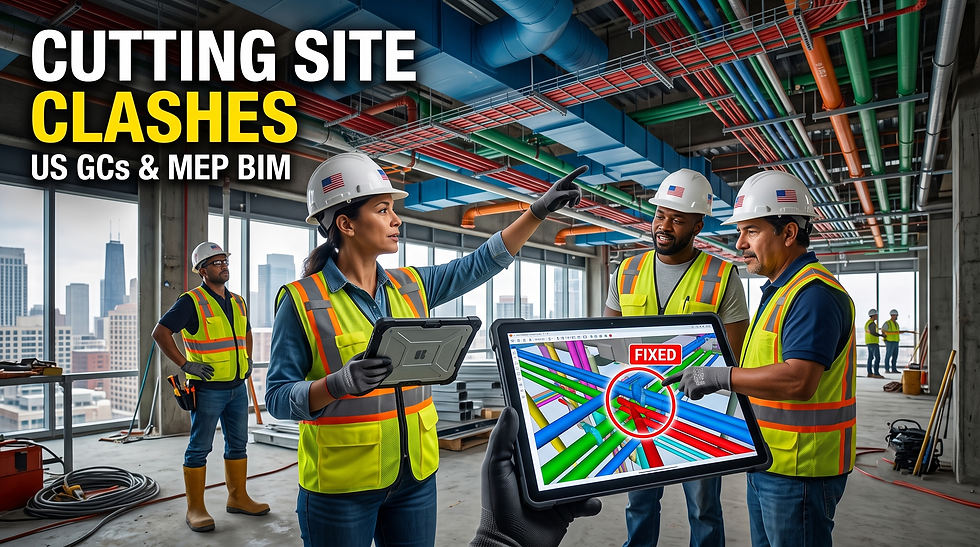
BIM models carry every minute detail to run checks like clash detection, energy analysis, and construction sequencing. This helps teams detect any issues in design early, see how the building will perform, and plan the work in the right order. Fixing the problems at this stage helps reduce mistakes and avoid expensive rework on-site.
Lifecycle Management
BIM assist the entire project lifecycle, from initial design and construction through operation, maintenance (7D), and eventual demolition. The 'as-built' model with associated asset data (e.g., via COBie format) provides long-term value for facility management.
BIM Disciplines
BIM points Architectural, Structural, and MEP disciplines into a unified 3D model. This allows automated Clash Detection to find conflicts such as pipes intersecting beams, etc., before construction, and saves important time and cost, with the help of BEP, that is, BIM Execution Plans and best practices like early, regular checks and team collaboration.
A BIM guide expresses merging these discipline models, setting rules, running clash detection software like Navisworks, Solibri, generating reports, and resolving issues virtually, ensuring constructability and coordination.
Primary BIM Disciplines
l Design work usually comes first. Teams look at space planning and how the building is meant to look. This sets the base for everything else.
l Structural planning runs alongside it. Beams, columns, and foundations are checked. Nothing fancy, just making sure the building stays stable.
l Services are planned as well, like heating, cooling, electrical wiring, and plumbing needed for daily use.
BIM Guide: The Clash Detection Process
l Model Creation: Each discipline creates detailed 3D models (e.g., Revit).
l Federation (Aggregation): Models are combined into a single, unified project model in a Common Data Environment (CDE).
l Clash Detection Setup: Define rules and parameters for conflicts (hard, soft, workflow clashes).
l Automated checking: The software scans the models and points out where elements overlap or don’t have enough space.
l Reviewing the issues: The team looks at the problem areas, decides which ones are most urgent, and discusses them together to fix things early.
l Resolution: Design teams fix conflicts virtually, then re-check the model iteratively.
This BIM guide stresses that early clash detection significantly reduces rework and cost overruns.
BIM Implementation Stages
You cannot suddenly use BIM in a project. Your team might have a different way of working, like how they already work and what issues they face, due to which project work gets slowed down.
Once it's over, they present a basic place in place. Following this, they decide upon a basic plan, putting in place and picking tools that fit the project. Rules are kept simple. Training happens as needed, not all at once. BIM is then used during design and construction, and later it still helps when the building is in use.
A well structured BIM implementation strategy can ensure a smooth adoption wherein workflow is defined, responsibilities and long term BIM goals are aligned with organizational objectives.
Key BIM Implementation Stages
l Know where you stand amongst your team and project - Teams initially focus on their present way of working, the tools they use, and the skills they have. This helps identify what is missing and what needs improvement before BIM is introduced.
l Plan out how BIM will be used - Execute clear goals, like improving quality, reducing errors, or saving time. As per these goals, suitable tools are selected, and a BIM Execution Plan is prepared to explain roles, workflows, and how information will be shared.
l Getting the team ready - Before full rollout, BIM is tested on a small project. Teams receive basic training, and simple coordination rules are agreed upon so everyone knows how to work together.
l Using BIM on real projects - BIM is later used during the process of design, construction, and operations. To spot clashes early, plan schedules, estimate quantities, and keep everyone updated, models are used.
l Review and improve over time - Teams regularly check what is working and what is not. Feedback is used to make small improvements so BIM continues to add value to future projects.
BIM Software & Tools
Popular BIM Software
Authoring/Modeling:
Working on architecture or MEP design? Revit software tool helps your teams move on to create detailed building models.
Some architects prefer Archicad. Mainly because it gives them more freedom while designing.
They can shape models easily and still stay within BIM workflows.
Vectorworks is chosen by teams who want both creativity and technical control. Most often, it is in projects where design and construction go hand in hand.For big infrastructure projects, MicroStation is commonly used. This includes roads, bridges, and heavy civil work. It handles large files and terrain data better than many other tools.
Coordination & Analysis:
When different models need to be checked together, coordination tools are used. These help teams find clashes before construction begins.
Navisworks is used to bring multiple models into one place. Teams can see where elements overlap or conflict.
Solibri focuses more on quality checks. It helps identify missing information or elements that don’t follow project rules.
Collaboration & Management:
To keep everyone connected, cloud platforms are used. They allow teams to share files and see updates without confusion.
On larger projects, BIM 360 is often used for this purpose.
Some teams also use BIMcollab. It helps track issues and communicate problems clearly across teams.
Generally, a BIM guide tells you to acknowledge the kind of software tools to use as per your project requirements, how well the tools would work together, and the experience level of your team.
LOD, LOI & BIM Standards
Level of Development (LOD)
Defines graphical accuracy and reliability.
LOD (Level of Development or Detail) explains how detailed and reliable the model’s shape and geometry are at each stage of the project. It checks your trust issues on what you see in the model, from basic concept shapes at LOD 100 to fully verified as-built models at LOD 500.
LOI (Level of Information) explains to you what kind of data is attached to those model elements, like their material details, specifications, costs, performance data, and maintenance information. It focuses on information, not appearance.
Both LOD and LOI jointly work as a system.
LOD can tell you about how detailed the model looks, whereas LOI can tell you how much information it carries. This helps teams to precisely know what the model can be used for at each project stage, to avoid confusion or incorrect assumptions.
To manage this properly, the industry follows standards:
The US LOD Specification (AIA/BIMForum) defines how much model detail is required at each stage.
The ISO 19650 standard (LOIN) centre of attraction is on what information is actually required, so that the teams don’t add unnecessary data.
These kind of standards really improves the spirit of teamwork, accuracy, and cost control, making the BIM model useful not just during the process of construction, but also for long-term building operation and maintenance.
Key Levels (US Standard):
l LOD 100 (Conceptual): Basic forms, massing, location.
l LOD 200 (Schematic): Approximate quantities, size, shape, location.
l LOD 300 (Detailed Design): Precise geometry, for coordination and construction docs.
l LOD 350 (Construction Docs): Detailed for shop drawings, connections.
l LOD 400 (Fabrication): For assembly, fabrication (manufacturer data).
l LOD 500 (As-Built): Verified field conditions, final asset.
LOI (Level of Information)
l Definition: The non-graphical data or metadata linked to model elements (e.g., material, supplier, performance, cost, warranty).
l Role: Determines what data is needed for specific purposes, from early analysis to facility management.
Key BIM Standards & Guides
This BIM guide emphasizes that LOD and LOI prevent misalignment and reduce project risk.
l LOD Specification (AIA/BIMForum): The primary US framework defining LOD and LOI for clarity in model content.
l ISO 19650 (LOIN - Level of Information Need): International standard focusing on defining specific information requirements for project purposes, emphasizing avoiding unnecessary data.
l BIM Guide (AIA/BIMForum): Provides detailed guidance on applying the LOD Specification across project phases.
l Why They Matter (BIM Guide Principles)
l Improved Collaboration: Sets shared expectations for model content across disciplines.
l Risk Reduction: Mitigates errors by ensuring data is reliable for decision-making.
l Lifecycle Management: Pivotal data for operations and maintenance - O&M after the process of construction is provided by the LOI.
l Cost/Schedule Control: Accurate LOD/LOI supports precise cost estimation and tracking.
Utmost Practices for BIM
Preplan your usage of BIM to know its value to the project. Team coordination and crystal clear planning are the need of the hour. When the teams share similar data, follow common processes and practices, and openly communicate, BIM becomes a practical tool rather than a complex system.
l Know what you want from BIM
So, you want to use BIM? First, be clear about why BIM is being used. You can use it to improve coordination, reduce site problems, or manage costs better.
When the purpose is openly clear, the project stays on track from the start. After that, a BIM Execution Plan (BEP) is prepared. It works like a project roadmap, setting out the goals, roles, required data, and how information is shared between teams.
l Make a simple BIM plan for the project
The plan is quite simple. How BIM will be used, who will do what, and how the details will be shared, everything will be given. This keeps everyone aligned and avoids confusion later.
l Better to collect teammates on board earlier
The earlier, the better. The multi-disciplinary team gathers early and works together, such as architects, engineers, contractors, and owners, in sync, involved from the beginning. BIM works best, giving you a remarkable outcome. Early involvement helps catch issues sooner and improves coordination.
l Follow common standards and naming rules
Use of similar file names, formats, and data standards makes it easy for everyone to understand and use the information without errors.
l Use one shared platform for all project data
A single shared folder or platform helps teams access the latest project files without confusion.
l Uplift frequent talks between teammates So, just daily conversing with your teammates helps rather quickly. Your team stays coordinated and handles issues on time.
l Make a note that your team knows how to use BIM toolsThe right training helps teams use BIM confidently and correctly, reducing mistakes and saving time.
l Check the model regularly for errorsWatch out for the model diligently, and it helps catch problems early, before they cause trouble on site.
l First-time user of BIM. Begin smaller projectsBetter use BIM on a smaller project, as it can be beneficial for the team to learn. Also, they can improve before applying BIM to larger, more complex projects.
l Use BIM throughout the project lifecycleBIM should support the project from design to construction and even maintenance, not just at one stage.
Ordinary Issues & Solutions in BIM
Using BIM can come with a few challenges at the start. Some teams may be slow to change the way they work, the initial setup can feel expensive, and different software may not always work smoothly together.
There can also be a shortage of manpower who are fully trained in BIM. Such challenges can be sorted out by training your teams properly, introducing BIM step by step, and following clear rules and standards so everyone works in the same way.
Main Challenges & Solutions to them
1. Struggling to change and skill gaps
Challenge: Some teams are uncomfortable changing how they work, and others may not have enough experience using BIM tools.
Solution: You can improve this situation by training them regularly. Bring in some BIM professionals who have experience, connect and work with educational institutions, and encourage an opinion that is open to new, better ways of working.2. Elevated initial costs and return concerns
Challenge: BIM may be seen as expensive and out of your calibre. You may also feel that it's way too expensive due to the expenditure included in the software, hardware, and training. You also may be skeptical about the benefits, as it may not feel instant.
Solution: Pay attention to early development in your project, such as time saved, and with fewer errors, confidence gets built up. The value of BIM becomes clearer over time, with tracking results and getting an idea on long-term savings.3. Partnership and communication issues
Challenge: If your team do not get along with each other, it gives an invitation to small misunderstandings followed by delays in the project.
Solution: Using shared digital platforms, setting clear communication rules, and agreeing on how BIM will be used from the beginning help teams work better together.
4. Data management and software compatibility
Challenge: Managing large BIM data sets can be difficult when software tools are not fully compatible.
Solution: Clear data rules, one central place for project information, and using common file formats help keep information organized and consistent.5. Complicated workflows and project setup
Challenge: Big or fast-moving projects, BIM can sometimes feel hard to manage.
Solution: You need to opt for simple, standard workflows. Also, use BIM early in your project, so that coordination becomes easy, reducing further confusion.
6. Legal and contractual clarity
Challenge: Unclear contracts can create confusion around responsibilities and ownership of BIM data.
Solution: Defining roles clearly, setting BIM rules upfront, and involving legal advisors for complex projects helps avoid disputes.
ROI of BIM
BIM ROI Metrics
l 5- 15% cost savings from clash detection
l 10–30% reduction in material waste
l 5–20% faster project delivery
l Lower change orders
l Improved facility management
Such a BIM guide helps you to see that BIM delivers measurable financial and operational returns.
What’s next for BIM
BIM is now commonly used to support coordination and information sharing across projects. Let's go through some of the main trends,
l AI in BIM
AI helps mechanize routine work, improve designs, and reduce manual effort in BIM projects.
Finding design clashes faster
AI can spot clashes in models early and help teams fix them before construction begins.
l Explore better design options
AI tools can quickly test different design ideas based on cost, space, and performance, helping teams choose better solutions.
l Advance Planning maintenance
With AI, teams can fix equipment before problems turn serious.
l Working together using the cloud
Cloud platforms help all teams to easily access BIM models from one shared place, no matter where they are.
l Working with updated information
When everyone uses the same updated files, there is less confusion and work moves faster.
l Easier access for all teams
Cloud-based BIM makes advanced tools available even for smaller firms without heavy investment.
l What digital twins do
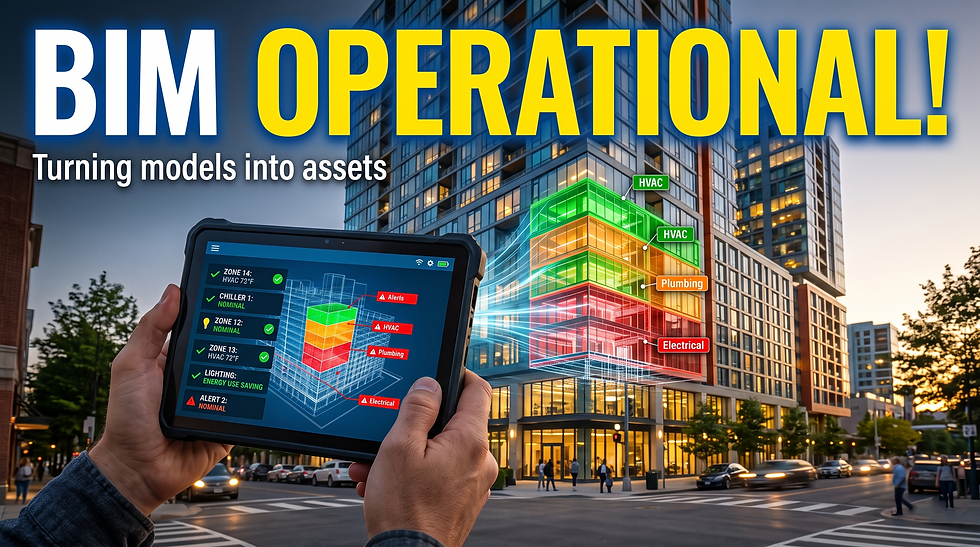
A digital twin is a live digital version of a building that reflects what is happening in the real world.
l Monitor building performance
Digital twins help track energy use, occupancy and provide real-time system performance.
l Improves daily operations
With this data, teams can cut energy waste and manage the building more easily.
l Supporting the building over its lifetime
Digital twins keep the building’s data useful even after construction, helping with operation and maintenance for years.
BIM Case Studies
BIM case studies show you the actual examples of how BIM is used and the benefits it gives. A BIM guide explains the basics, such as how BIM works, who is involved, and what tools are used. While guides explain the ideas, case studies show how those ideas are applied to actual projects, like using cloud-based BIM on large infrastructure works or following a BIM plan on complex developments.
Key BIM Case Study Examples
l Crossrail, London (Infrastructure project)
BIM allowed teams to track work and find design problems early, which reduced site errors.
l Large mixed-use development project
Multiple companies worked together using a common BIM plan. Shared models and clear file rules helped teams stay coordinated and manage a complex project smoothly.
l How BIM is used across projects
These examples demonstrate the way BIM supports design coordination, visual planning, cost tracking, scheduling, and long-term building management.These examples demonstrate real-world BIM benefits.
PrimaVerse BIM Services
Partner with PrimaVerse to implement BIM efficiently and at scale.
In the present scenario, Building Information Modeling (BIM) is not simply an option for AEC companies. It has become a significant part to stay competitive. BIM helps teams coordinate designs better, manage projects through their full lifecycle, reduce risks, and make better decisions. To get these benefits, companies need the right skills, clear standards, and a proper way to use BIM.
PrimaVerse helps AEC professionals at every stage of their BIM journey. We help you at every step of a BIM project. We create BIM models, find design problems early, manage model details, and guide teams on how to use BIM properly. Whether you are just starting with BIM or want to use it across more projects, we help you get better results and real value from it.
PrimaVerse delivers end-to-end BIM services for AEC professionals, including:
BIM modeling and coordination
Clash detection
LOD management
BIM implementation consulting
FAQs – BIM Guide
1. What is BIM in construction?
In the field of construction, BIM is a simple way to use digital models for understanding the way a building is built before any of the work gets started on-site. This itself is beneficial for the teams to plan out their way of working, find any issues early, keep costs under control, and stay on schedule throughout the project.
2. Importance of BIM for AEC professionals?
BIM for AEC projects is preferable. Why? Because BIM helps your team to work and gel with each other. That said, it also helps everyone to use the same digital model. As a result, design issues are identified earlier. Fewer mistakes reach the construction site. Rework, if any, gets minimized, and easier control of project costs is what you are also experiencing with BIM.
3. BIM software is used to work for?
BIM software is used in AEC projects. It is used to create digital building models. These models include building geometry and project data. Teams use the models for coordination, scheduling, and cost tracking. The team can use similar models during construction and maintenance.
4. Is BIM distinct from traditional CAD?
Drawings are created with CAD. BIM uses digital building elements along with attached details. Any changes made are reflected throughout the model.
5. Specify some of the main BIM benefits.
With BIM, there are endless benefits, with the most important being better reliable teamwork. Work together with your whole team in the same model. It gets easy to detect mistakes in the initial stage, and get less rework. The costs of planning and schedules becomes very simple, projects get finished with speed, and you get useful data to manage the building even after construction. Planning for justifiable and long-term maintenance is way more easy with BIM.
6. What is a BIM Execution Plan (BEP)?
How BIM would be used on a project is what BEP is about. Who's responsible for what, which kind of software will be used, and how these details will be shared, everything is decided. This helps everyone follow the same process from the start.
7. What does LOD mean in BIM?
LOD, or Level of Development, explains to you how detailed and reliable a BIM model element is at different project stages. It helps teams understand what information can be used for design decisions, coordination, fabrication, or facility management.
8. How does BIM improve ROI?
In many ways, such as minimizing material waste, reducing construction errors, lowering change orders, and improving scheduling accuracy. With each passing time, BIM improves operational efficiency by offering precise data for asset management and maintenance.
9. What industries use BIM technology?
BIM technology is universally used in fields of infrastructure, engineering, architecture, airports, construction, oil and gas, healthcare, and smart city development, amongst others. It can manage complicated data, which makes it valuable across several sectors.
10. Is BIM mandatory?
In several countries, BIM is required for government and public projects. These rules are mainly used to improve project transparency, coordination, and long-term asset management. Private projects often adopt BIM as well, even when it is not compulsory.



Comments