BIM for Project Management: Complete Beginner’s Guide 2025
- PV Digital

- Dec 9, 2025
- 5 min read

BIM for Project Management A Beginner’s Guide
The traditional management processes are not aligned with the modern project demands, and construction has gradually become complicated. BIM for project management has become a standard approach, helping the teams to improve the way they plan, coordinate, schedule, and make decisions.
In this beginner’s guide, you’ll learn how Building Information Modeling transforms construction workflows and why it has become one of the most essential construction project management tools today.
Introduction: Why BIM Matters in Modern Construction?
Usually, you find a lot of stakeholders, challenging coordination between them, and a tight schedule of workloads in any kind of construction project. And during this period, when the team relies on siloed details or, rather, on outdated 2D drawings, then there might be instances of budget outruns, delays, rework, or errors.
This is the precise moment where BIM for project management comes into the picture to play a life-changing role.
There's an offer by BIM of a combined digital environment where project managers, contractors, engineers, and architects can work on a shared model.
This ensures consistent communication, improves efficiency, and reductes risk all critical for successful project delivery.
BIM also supports integrated project delivery, helping teams align goals and create a more transparent construction workflow.
What Is BIM? A Simple Overview for Beginners
Building Information Modeling (BIM) is a process of creation, management, and shared digital representations of physical buildings and infrastructure. Unlike traditional drawings, BIM models store intelligent data that helps project managers:
Visualize how a project will be built
Clash Detection: Finding Mistakes Before Construction.
More precise cost estimations
Track project timelines using BIM scheduling
Improve collaboration across teams
BIM is not simply a visualization tool, but it's a decision-making powerhouse for the project managers.
How BIM Supports Construction Project Management Workflows
1. Better Planning & Visualization
BIM models offer 3D visual clarity, which allows managers to get to know about the scope of the project, detect areas of risk, and communicate designs effectively. Early visualization minimizes on-site surprises and aligns expectations among clients and stakeholders.
2. Smarter Scheduling with 4D BIM Planning
One of the most powerful features is that BIM for project management is 4D BIM planning, wherein time (4th dimension) is integrated with the 3D model. This allows teams to:
Animate construction sequences
Recognize scheduling conflicts
Predict delays before they happen
Optimize construction phasing
With BIM scheduling, project managers can run different scenarios and determine the best, most functional timeline.
3. Detailed Cost Estimate & Budget Control
While 5D BIM covers cost, even basic BIM models support quantity takeoffs. This means project managers can estimate materials, labor, and equipment more accurately reducing budget deviations.
4. Improved Coordination & Clash Detection
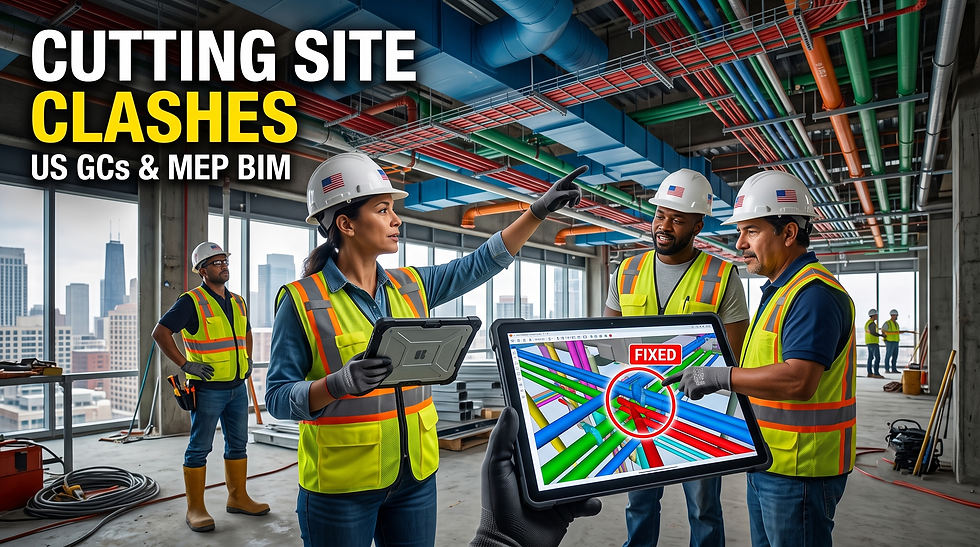
One of the main causes of delay in any construction project is a coordination error. BIM averts conflicts between MEP, structural, and architectural elements even before they reach the site. This reduces any reworks, saving time and increasing productivity.
5. Smooth Collaboration Among Stakeholders
BIM fosters transparent communication. Every team works on a centralized digital environment, reducing misunderstandings and ensuring consistency. It supports modern delivery models such as integrated project delivery (IPD) by keeping all stakeholders aligned.
6. Enhanced Quality & Risk Management
BIM helps project managers track compliance, building codes, and quality checks. Risks are identified early through simulations, clash detection, and performance analysis.
7. Better Facility Management & Handovers
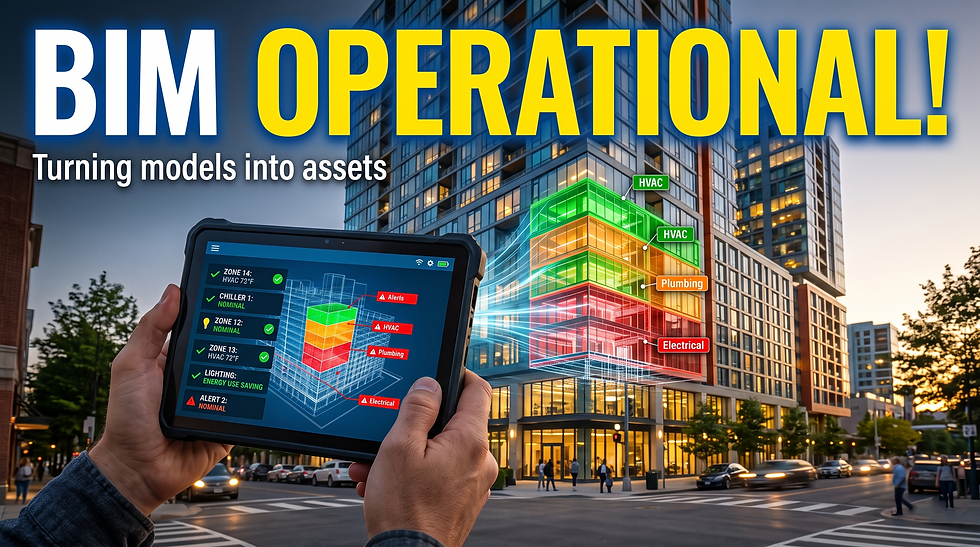
The data-rich BIM model becomes a long-term asset. Once construction is complete, facility managers receive accurate models containing details of materials, systems, and maintenance requirements.

Key BIM Uses for Project Managers
BIM supports the project managers in every stage of the life of a project, which includes:
Pre-Construction
Site analysis
Feasibility studies
Cost planning
Scheduling simulations
Coordination meetings
During Construction
Progress tracking
Clash detection
Safety planning
Logistics management
Quality monitoring
Post-Construction
Digital handover
Planning maintenance
Managing assets
This holistic approach explains why BIM benefits for project managers have made it one of the top construction project management tools globally.
BIM Levels: The Overview to Project Management
New managers are often confused by the "BIM levels." Here is a quick explanation:
Level 0
2D CAD drawings
Limited collaboration
Level 1
Combination of 2D and 3D
Basic data sharing
Level 2
3D collaborative models
Standardized information exchange
Widely used for public projects
Level 3
Full integration
Single model environment
Supports integrated project delivery
Most organizations today strive to reach BIM Level 2 or move toward Level 3 for maximum benefits.

4D BIM Planning: What is it? (Beginner-Friendly Breakdown)
4D BIM adds to the time dimension in a 3D model. 4D BIM can allow for:
Animation of the construction sequence
Resource planning and logistics
Early Detection of a Problem or Timeline Issue
Site Safety Simulations
Smoothening of workflow
For project managers, 4D BIM planning is a game-changer as it helps them to visualize how the project will unfold day by day. It eliminates guesswork and improves decision-making.
BIM Benefits to the Project Manager
The following are the BIM benefits for project managers:
Superior planning
Fewer design errors
Improved communication
Accelerated decision making
Higher productivity
Cost and time management enhanced
It enhances assured quality.
Risk reduction
These advantages explain why BIM in construction management is no longer optional it's essential.
BIM and Integrated Project Delivery (IPD)
IPD is a collaborative project delivery method where all stakeholders share risks and rewards. BIM supports IPD by providing:
One integrated digital workflow
Transparency in projects
Realistic simulations and forecasts
Realtime collaboration
This formula helps deliver projects faster, at a lower cost, and with fewer disputes.
Top BIM-integrated construction project management tools:
Although BIM is a process, many software tools support its implementation. These include:
Autodesk BIM 360
Navisworks
Revit
Synchro 4D
Trimble Connect
These tools enhance construction planning BIM workflows by giving teams full access to models, schedules, and data.
Additional Resources on BIM
To explore more on BIM standards, workflows, and global guidelines, here are some useful external references:
buildingSMART - Global BIM Standards
National Institute of Building Sciences (NIBS)
NBS - Understanding Building Information Modeling (BIM)
ISO 19650 - International BIM Standards
Practical BIM Applications in Construction Management
1. Hospital Construction
BIM allowed teams to plan complex MEP systems, reducing clashes and accelerating installation.
2. Highway and Bridge Projects
4D simulations extended logistics planning and also traffic management.
3. Commercial Buildings
BIM scheduling allowed multiple subcontractors and reduced downtime.
These examples highlight how BIM transforms efficiency and reduces overall project risks.
Issues Beginners Generally Face While Adopting BIM
While BIM offers many benefits, new users may face challenges like:
Lack of BIM Skillsets
Setup time (preliminary)
Resistance to change
Software learning curve
Need for standardized workflows
With a step-by-step adoption plan and proper training, such challenges can be overcome easily.
How to Begin Using BIM in Project Management
Follow these steps:
1. Learn basic BIM
2. Choose the appropriate tool
3. Standard Work
4. Personnel training: BIM processes
5. Pilot project as a starting point
6. Utilize BIM Level 2 standards
7. For scheduling, adopt 4D BIM
8. Regularly review and revise the BIM strategy
With consistent practice, BIM becomes a seamless part of your project management process.
Conclusion
BIM is revolutionizing construction in ways unimaginable a decade ago. With better scheduling, visualization, project coordination, and risk management, BIM for project management is at present the backbone of modern construction delivery.
As projects are becoming more complex, BIM continues to play a significant role in ensuring efficiency, accuracy, and collaboration across teams.
Whether one is a novice or an experienced professional, adopting BIM in construction management is the smartest step that one can take for future-ready project execution.
Have a project in mind? Contact us today and let’s build a better world together!


Comments